AI Clothes Changer
See a dress, sweater or graphic tee on your own photo before you buy it, wear it or post it. Your face and hair carry over from your photo, and only the clothes change.
- ✓Your face stays yours
- ✓Prints stay readable
- ✓Works on phone photos
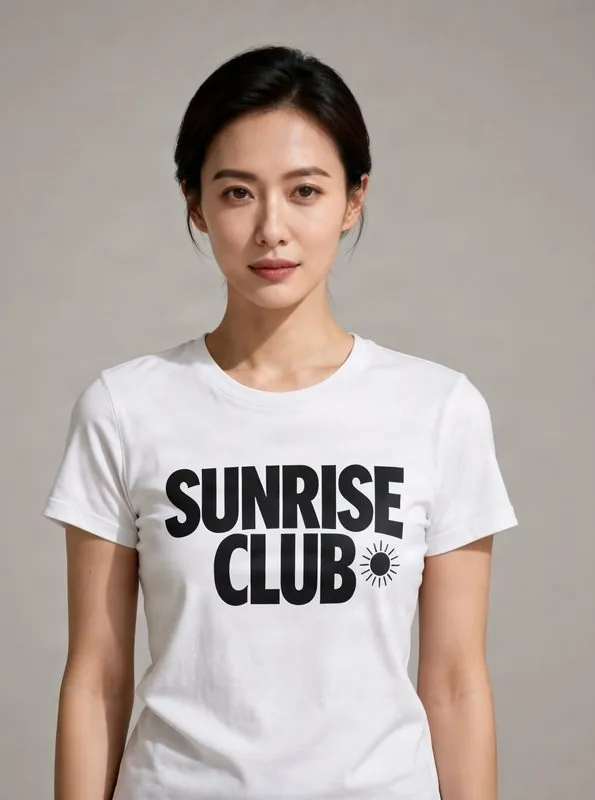
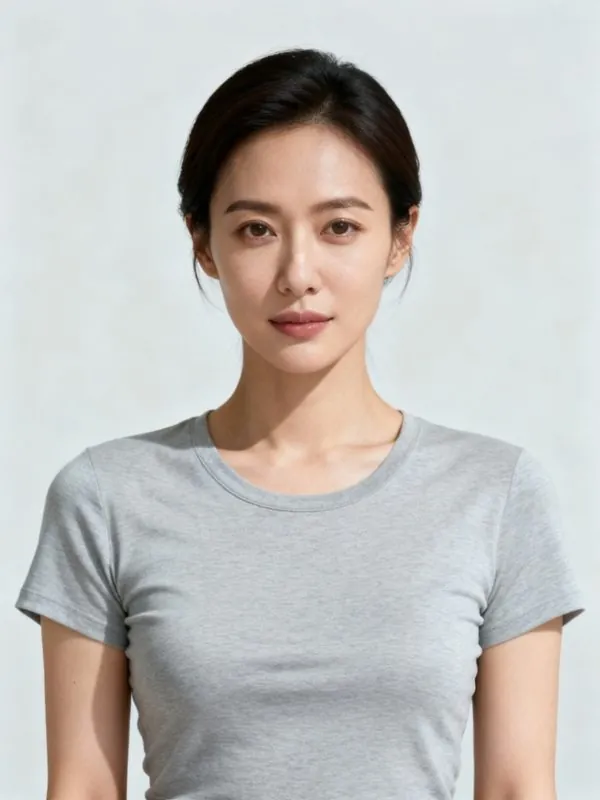
Real results on everyday photos
Before and after pairs from our own test runs, on the kind of photos people actually have on their phones.
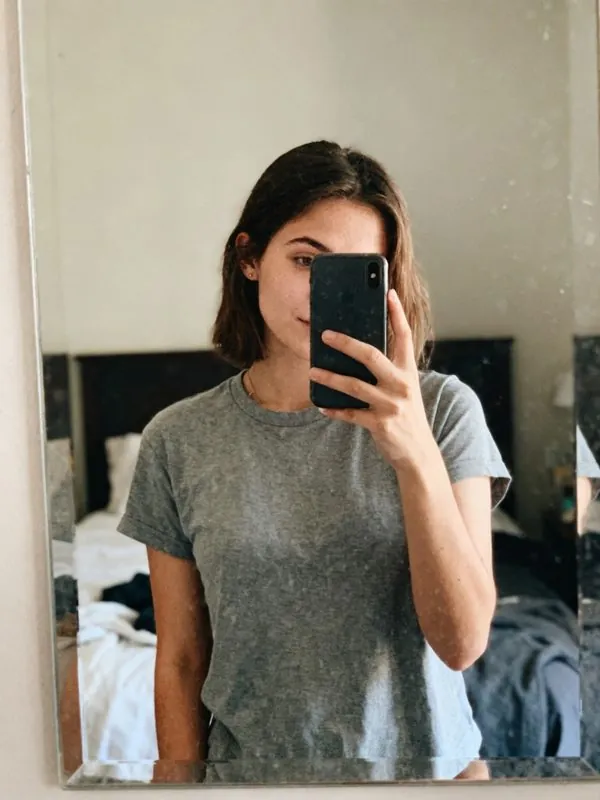 Before
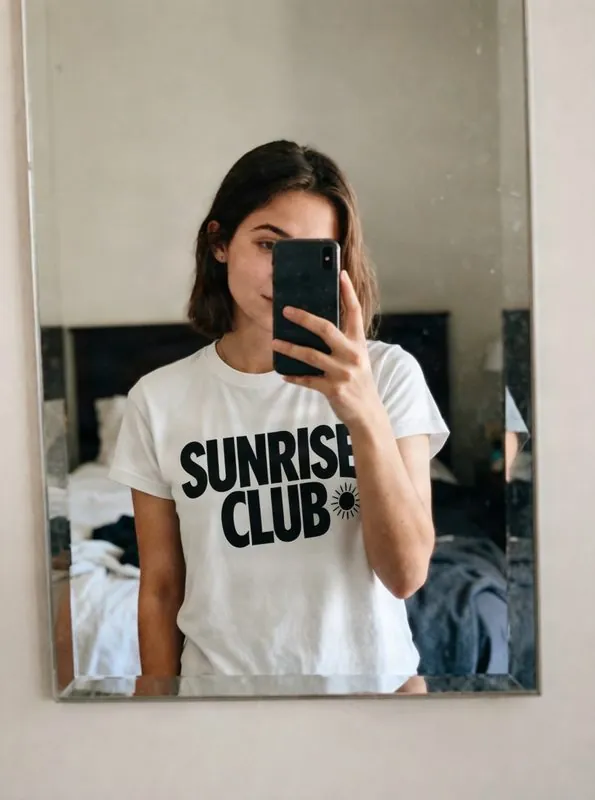 After
Mirror selfie, phone over the face
The phone covers half the face, and the new tee still goes on cleanly. The visible half of the face and the hair carry over from the original.
 Before
 After
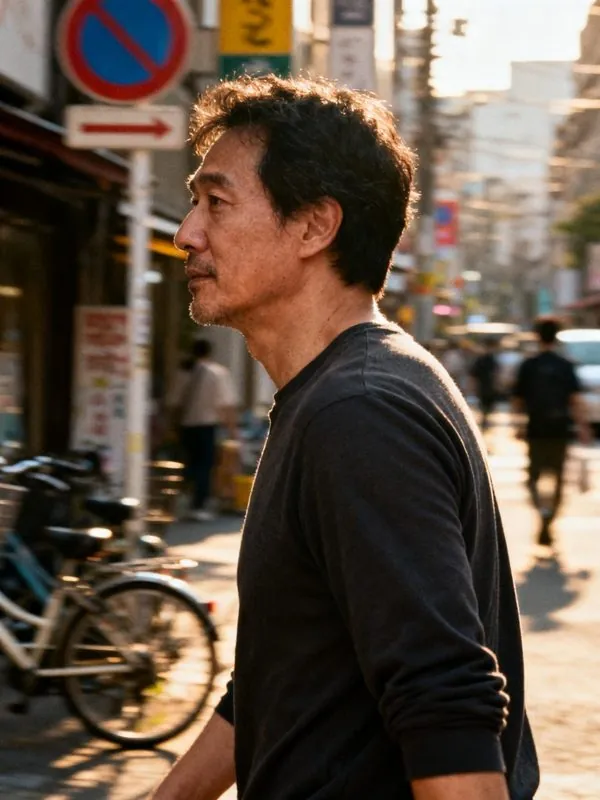
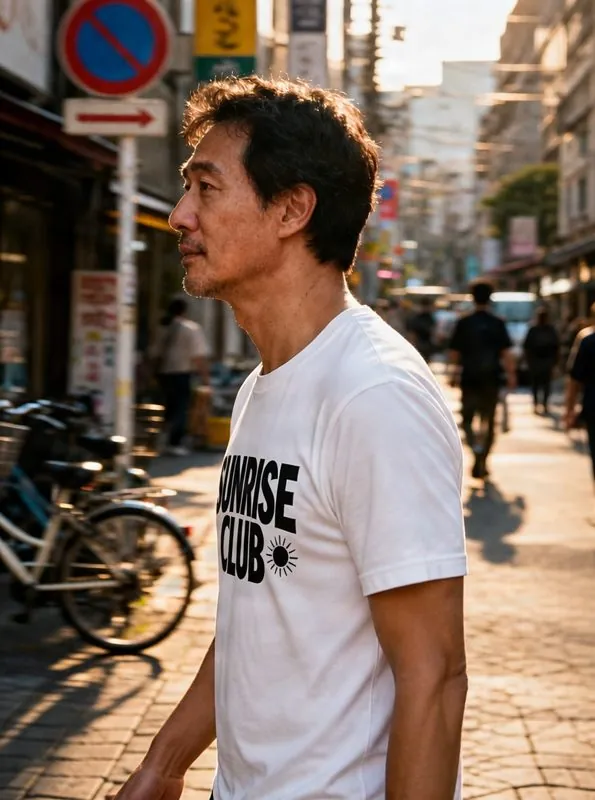
Street photo, side profile
A side-on shot with a busy street behind. The profile and the street stay, and the long sleeves become the tee's short sleeves, so the forearm shows.
 Before
 After
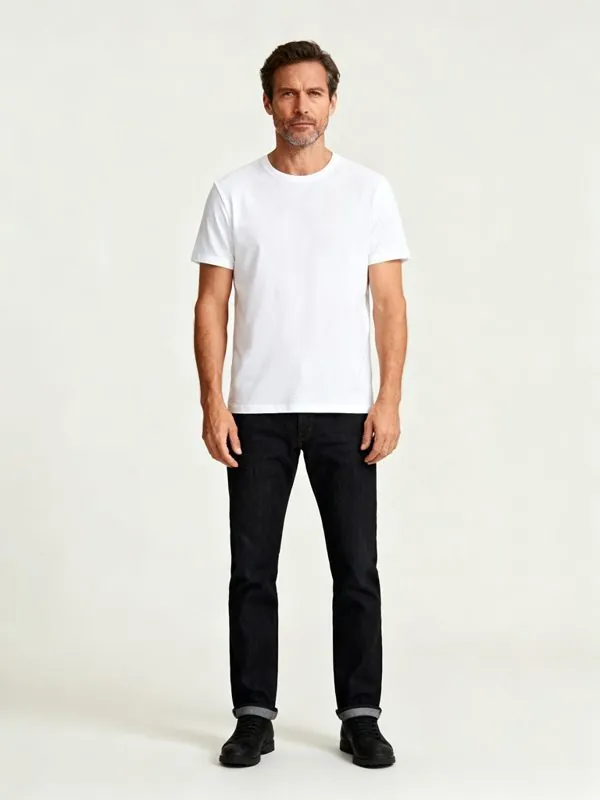
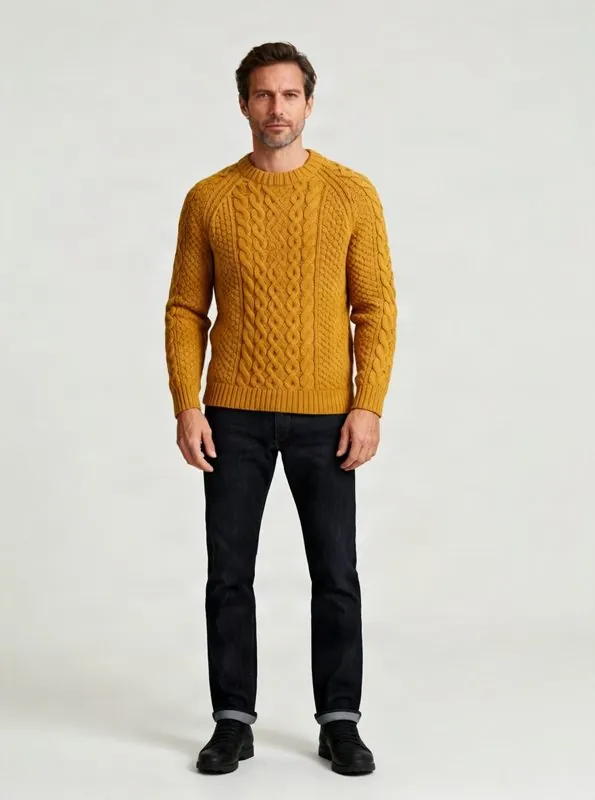
Full length, knit sweater
A full-length photo and a mustard cable-knit from a product shot. The cable texture comes across from the product photo, and the trousers and shoes stay as they were.
Who uses an AI outfit changer
An AI outfit changer helps when you want to see clothes on yourself without trying them on. Four situations come up most.
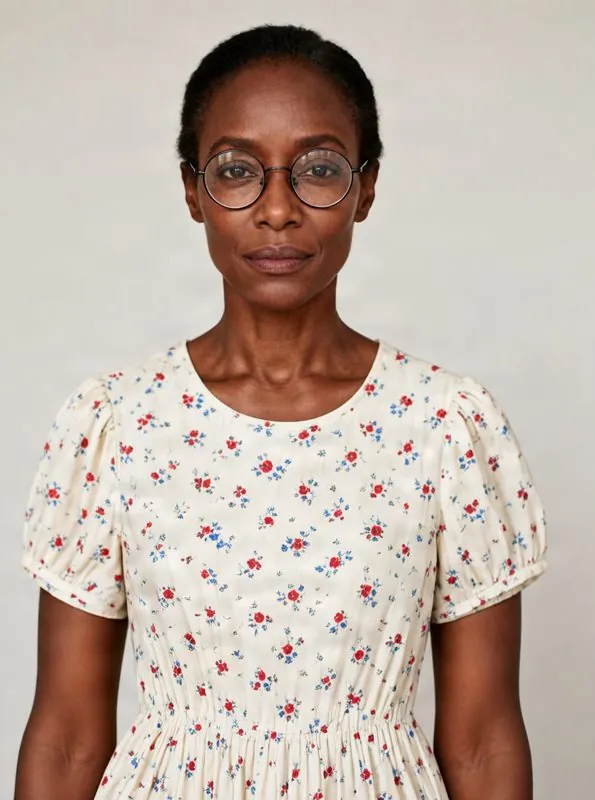
Online shoppers: check a piece before you order
Save the product photo from the store and put it on your own picture. You see the colour and cut on you, then decide whether to order.
Try a dressEvents: pick an outfit for a wedding or interview
Keep one good photo and try three options on it. Compare them side by side instead of changing clothes three times.
Compare outfits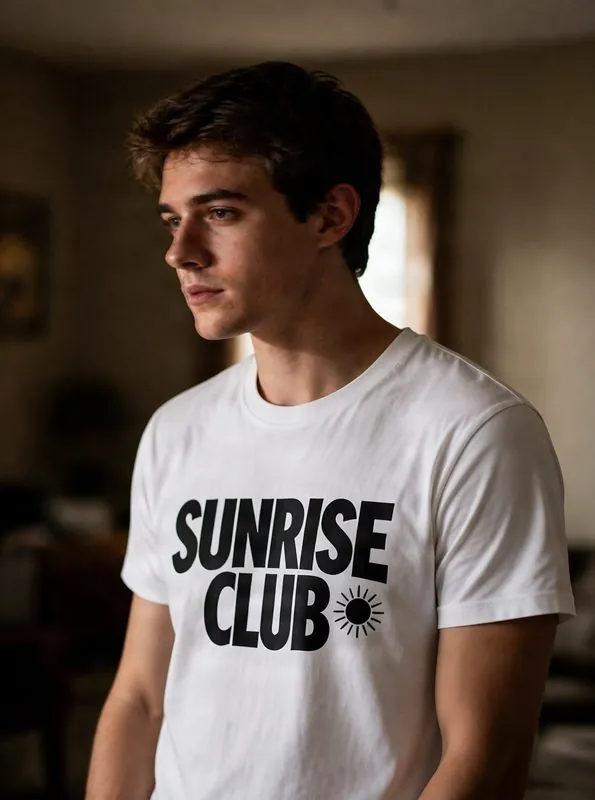
Profiles and social: a new look in a photo you like
The pose, light and setting of your favourite shot carry over. Only the outfit changes, so there is no reshoot.
Change an outfitSmall sellers: on-model shots from a flat-lay
Put the flat-lay on a model photo you have the rights to. Check the result against the real item before you list it.
Use a product photoEach case is a virtual try-on preview. You see the style and colour on you before you spend money or time on the real thing.
How to change clothes in a photo
Three steps: your photo, the clothes, then compare.
1. Add your photo
Use one person with the face visible and the area you want to change in view. A phone photo works. Waist up suits tops, and head to knee suits dresses.
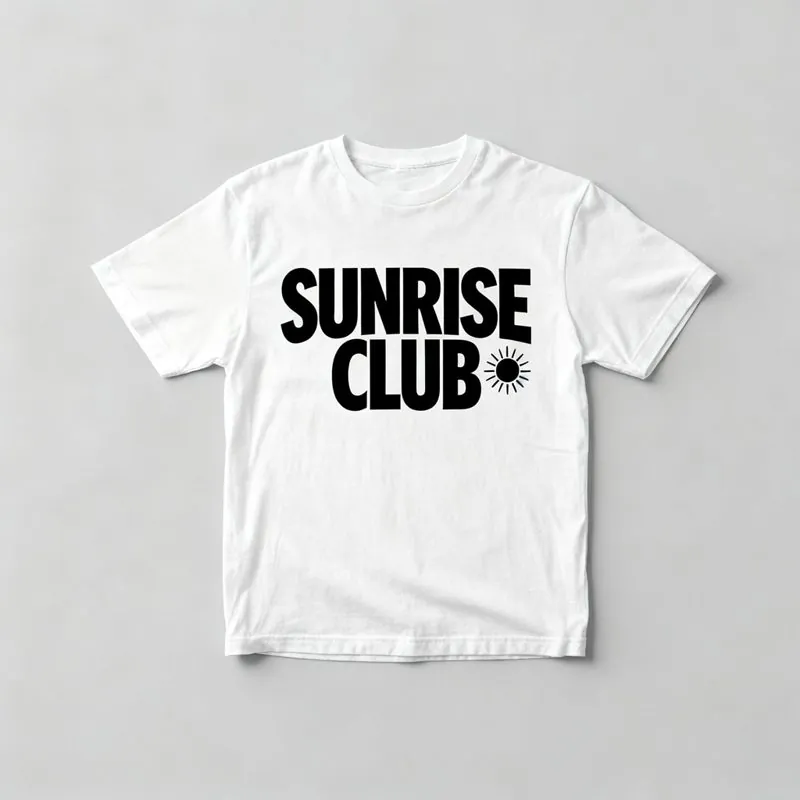
2. Add the clothes
Use a product photo from a store, a flat-lay on the bed, or someone else wearing it. Crop it to the one garment you want to try.
- BeforeAfter
3. Compare and keep
Drag the line between your photo and the result. To try another piece, add new clothes without uploading yourself again.
What ClothMorph does with your photo
ClothMorph is an AI clothes changer that reads your photo and your clothing photo as two separate inputs. Your photo says who is wearing the clothes and how they stand, and the clothing photo says what to put on.Three things happen between the button and the download.
Only the clothing changes
Your face, hairline, glasses, skin tone and pose come from your photo, so the result still looks like you. The new garment is fitted to the way you stand: it follows your shoulders, the turn of your body and where your arms fall.
The cut follows the clothing photo. A short-sleeved tee on a long-sleeved photo leaves the forearms bare. A midi skirt ends at mid-calf, and trousers reach the top of the shoe.
Everything outside the garment stays as it was, so changing a top keeps your trousers and shoes.
The print is copied from your clothing photo
Lettering, logos, florals and knit patterns are taken from the garment image you add, not redrawn from a description. Big lettering stays readable on a mirror selfie, a street shot and a photo in a dim room.
The clearer the clothing photo, the cleaner the copy. A flat-lay shot straight on gives the tool the whole print. Collars, button plackets and chest pockets carry over the same way.

Results are saved and checked before you download
The result shows on screen as soon as it is ready. Before the download button turns on, the image is saved to your account and checked, so the file you download is the one you saw. A run that fails is not charged.
Choose Standard or HD before you start. Standard arrives first and is ready to download, while HD is built in the background and replaces it when done.
If HD cannot finish, you keep the Standard result and the extra HD credit comes back.
Virtual try-on: which clothes work best
Each kind of clothing keeps different details. Here is what carries over, why it helps, who it suits and the photo that works best.
Tops with prints
Big lettering and logos are copied from the product photo, with the letters in order and the right way round. You see the real graphic on you, not a blurred stand-in.
Good for: merch and band-tee shoppers, and creators checking their own designs.
Best when the print faces the camera in the clothing photo.Knitwear and shirts
Cable and rib texture, collars, button plackets and sleeve length all carry over. Texture is what makes a knit look rich or cheap, so you judge the actual piece.
Good for: comparing sweaters before you order, and picking a shirt for work or an interview.
Best when your arms are down at your sides.Dresses and skirts
The length comes from the clothing photo, and your own shoes stay in the picture. You see where the hem lands with the shoes you plan to wear.
Good for: wedding guests, event outfits and online dress shopping.
Best with a photo from head to knee or lower, so the hem has room.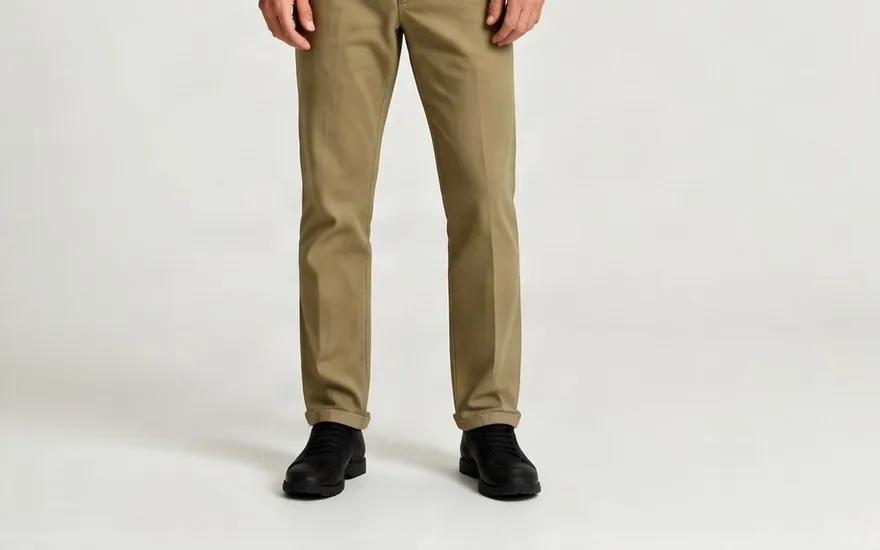
Trousers
Trousers swap in from the waist down, and the top you have on stays. You can test a new cut against tops you already own.
Good for: building outfits around clothes already in your wardrobe.
Best with a full-length photo, so the legs and shoes are in the frame.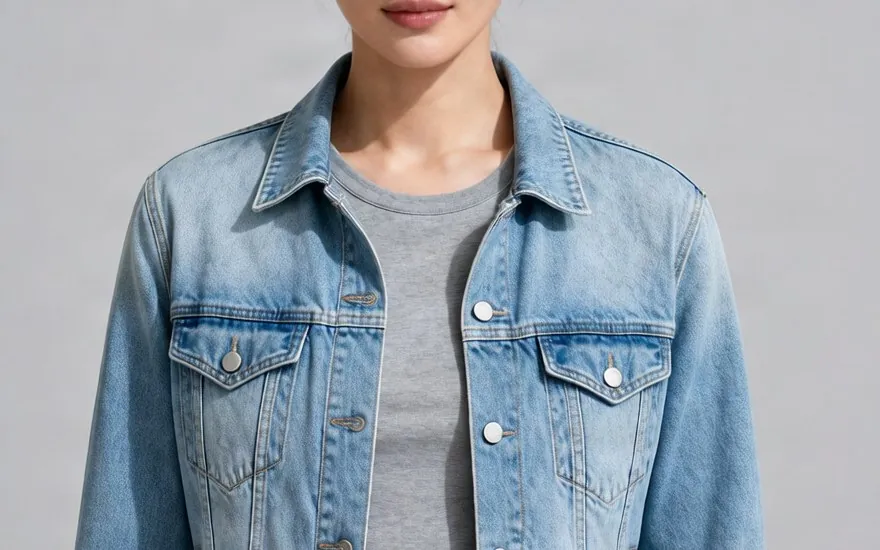
Jackets and coats
A jacket goes on worn open over your top, with its collar, pockets and buttons. You see the layer over what you would actually wear underneath.
Good for: layering outfits and checking a seasonal coat before you buy.
Best when your arms are in view, so the sleeves have somewhere to go.Worried about how it will look?
Six things people ask before trying it.
“Will it still look like me?”
Your face, hairline, glasses and skin tone come from your photo, not from a model. Only the garment changes, and it is fitted to your pose, so the person in the result is still you, standing the way you stood.
“Prints always come out blurry.”
The print is copied from your clothing photo rather than redrawn, so large lettering and logos stay sharp. Use a clothing photo where the print lies flat and faces the camera.
“My photos aren't studio shots.”
Phone photos work: a mirror selfie, a street shot, a photo on the sofa, a dim room. Your own lighting and setting carry over into the result.
“Will it show me how it fits?”
It shows how the style, colour and cut look on you. For your size, use the store's size chart as you normally would.
“Where does my photo go?”
Your photos and results are kept in My results, so you can download them again or try another piece on the same photo.
“Could someone misuse this?”
Photos of children, nudity, swimwear, underwear, sheer fabric and any request to remove clothing are blocked before anything is generated. Each photo is checked when you upload it, and each result is checked again before it can be downloaded.
Get a better result
Five things to check before you upload.
- Arms down, nothing in frontHands, bags and crossed arms stay in front of the new garment and hide part of it. A relaxed pose gives the new piece a clear view of your torso.
- Match the framing to the clothesWaist up suits tops. Head to knee suits dresses. Use a full-length photo for trousers.
- Wear something fittedA puffer or oversized hoodie hides your shape, and the new piece follows what it can see. A plain fitted top gives the cleanest start.
- Use a front-facing product photoPrints that are folded or angled get filled in instead of copied. Lay the garment flat and shoot it straight on.
- One garment per clothing photoCrop away other items, hangers with several pieces and busy shop rails. The tool then knows exactly which piece to use.
 BeforeAfter
Try it on four kinds of clothes
Tap a garment to see a real result, with your photo on one side and the new clothes on the other.
AI clothes changer FAQ
Can I use a screenshot from an online store?
Yes. Crop it to the one garment you want, with no price tags or text over it.
Does the clothing photo need a model in it?
No. A flat-lay, a hanger shot or another person wearing it all work, as long as the whole garment is visible.
Can I change trousers or a skirt?
Yes, with a full-length photo of yourself. A waist-up photo has nothing below the waist to change. The length follows the clothing photo: trousers reach the top of the shoe, and a midi skirt ends at mid-calf.
Why does the print look different on me?
The print was folded, angled or partly hidden in one of the photos. Use a straight-on clothing photo and keep your arms down.
Can I change one piece and keep the rest of my outfit?
Yes. Each run changes one garment, and everything outside it stays as it was.
Can ChatGPT or Gemini change clothes in a photo?
General image editors such as ChatGPT or Gemini can edit an uploaded photo, and the result depends on your prompt. A dedicated AI clothes changer takes a garment photo and is built to leave the rest of your photo as it was.